
Being that I’ve been taking a break, I don’t have a lot to report this week. I managed to haul ten bags of clothes to the local thrift store, but that is only a fraction of what I wanted to get done. I still have a lot of books to go through and donate to the library for their book sales, both trad and indie books I’ll never get around to reading or never read again. I pay for a storage unit since I live in a tiny two-bedroom apartment that doesn’t have a garage, and weeding that out before it snows has somehow become a priority, if only to get rid of clothes I’ll never be thin enough to wear ever again and go through totes of books that I either need to donate or put on bookshelves once I get them purchased and my son puts them together for me. When I was out there last, I noticed I had a HUGE tote full of Harlequin Desires. Collecting them is a different activity than actually reading them, but running into a thrift store sale is too much of a temptation to avoid. I don’t have many vices, but buying old Harlequins at twenty-five cents a piece is, for better or worse, one of them.
September is slipping away from me, though, and I’ve read three out of four of the Lisa Marie Rice books I ordered. The post office lost one, so I ended up ordering it and reading it on my Kindle, which I should do for books anyway since it’s easier on my eyes and my carpal tunnel. I have one left, and then the other books that are related, but first we have a Hunger Games marathon and I have to read the prequel before the movie comes out. My sister, daughter, and I are going to a corn maze next month, so I’ll need to work on A Heartache for Christmas when I can so I can get it to my proofer by the middle of October. A November 1st publishing date is probably doable if I can get the book listened to this week. Formatting it will be a snap as I don’t think I’ll do the fancy insides like I did for my trilogy. The main thing is getting the cover done, since after some feedback in a cover group on Facebook, I decided to go in a completely different direction. This was the old one I was pretty much set on:
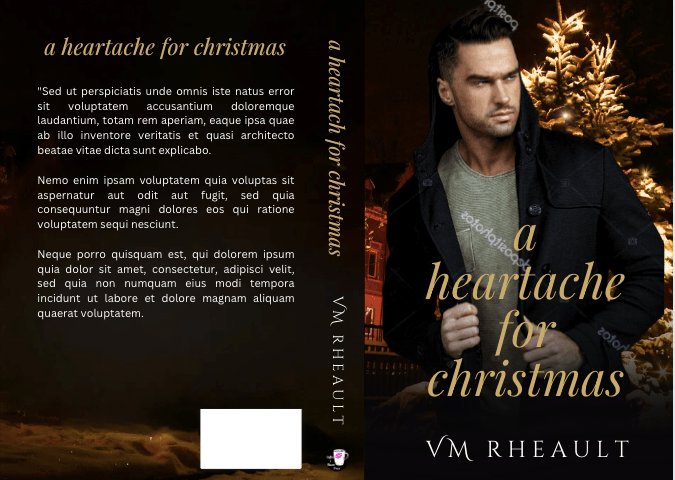
It’s not terrible, but I think I was focusing more on the mystery part of the story instead of the romance part of it and my brand. So, with a lot of scrolling through DepositPhotos, I came up with a couple of different concepts:
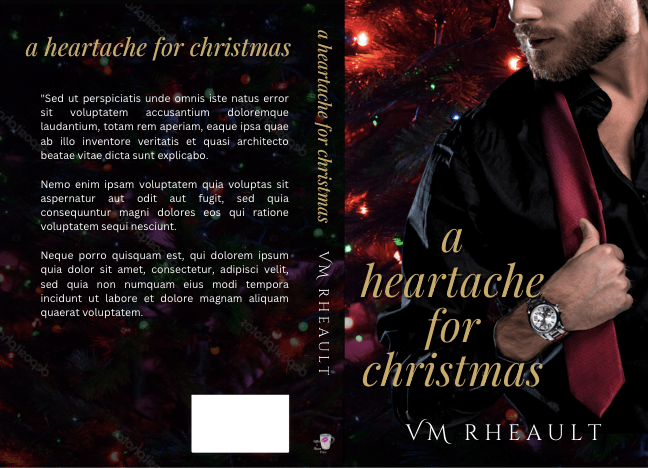
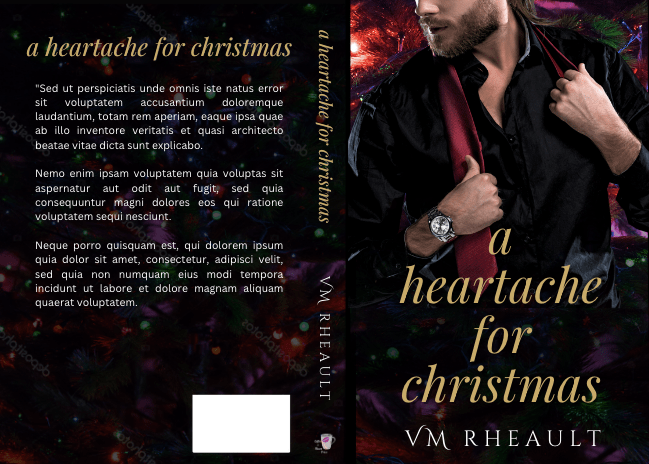
The guy with the tie fits in with my books a lot better, and while it’s evident that’s a Christmas novel, the background doesn’t scream holiday, which is okay. The only problem I’m having at the moment is the font for the title, and maybe even the title itself, though I keep going back to it even after listening to suggesions from others. My default font choice when I have nothing else to use is Playfair Display, either plain or italicized and maybe all caps or not. My one problem with this guy is that the stock photo is only half of him, and it’s difficult (for me and my limited skills) to fill in the rest of the cover. The one with his whole upper body takes care of that issue, but then I don’t like how the title is off to the side. Here’s the stock photo I found:
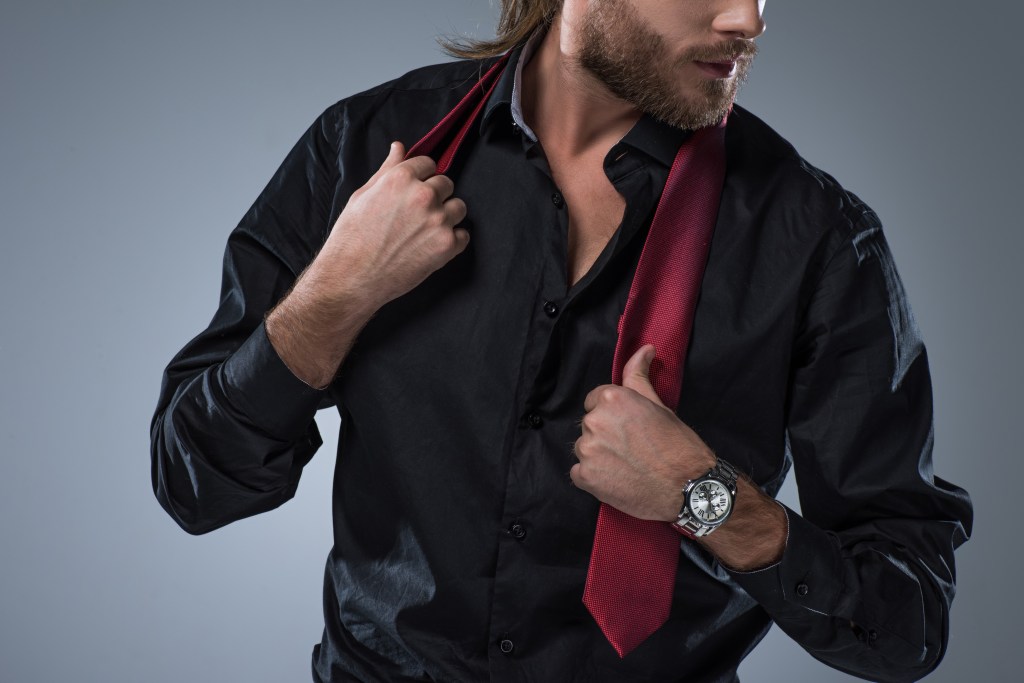
I like him (love his watch) and he fits in with all my other billionaires, but he doesn’t come in a full-body pose where he’s doing the thing with his tie (why??). I don’t know if the cover that only has half of him works…I usually do have my titles over some kind of gradient to help them pop, but the men’s waists show, if only faintly. I know I said I would never cut off a man’s head, either, but here we are. DepositPhotos is getting really picked over when it comes to handsome stock photo men, and one of the things I do when I’m tired and feel like doing nothing but needing to do something is listening to music, scrolling through photos, and bookmarking them as potential cover models. The men in suits who are good looking and haven’t been used before (or very little) are getting few and far between so I may end up doing what Melanie Harlow does, and put men wearing t-shirts on her covers whether they are billionaires or not. What do you think?
I have time to decide since listening to my manuscript takes a few days and I won’t be done with that until I have to write another blog post next week.
I’m having fun on TikTok, or trying to, anyway. It still can take me over an hour to make a video simply because it takes so long to find a photo that fits in with what others are doing and to find a snippet. I posted one today and I forgot to take out one of the c*cks, so one of these days I’lll probably get suspended for going against community guidelines. Though, posting a snippet without the dirty words is rather annoying, and when I read a snippet from another author I feel like I’m playing fill in the blanks, sorry for the pun. I’m using more photos from DepositPhotos than ever before, not because I’m afraid of using what Canva has to offer, but the romance TikToks have a very gritty look to them, and while I don’t write dark romance, I still don’t want to look too out of place. I’ll probably buy another DepositPhotos pack from AppSumo as they go on sale around Black Friday. Anyway, I need to get into the habit of making them, since if I have time to make one, I probably have time to make two. It’s just choosing a book and finding a snippet that’s hooky enough to share.
I also find myself falling into different algos, and all of a sudden my feed is full of rescue horses. TikTok is very responsive to what you tell it you like, and #rescuehorsetok is not going to sell my books. I need to maybe unfollow some of the accounts and go back through the #booktok hashtag or #contemporaryromancereaders and push the algos back toward books. I hate seeing rescue vids anyway. They always make me so sad. I can’t wrap my mind around how cruel people can be.
I’m seeing on Twitter and in FB author groups some mild confusion about the new AI question on KDP when you publish a book. That wasn’t implemented when I published my rockstar trilogy, and I’m reluctant to go into a book’s content when I don’t have to, so I haven’t seen it for myself. There’s been a rumor that books will lose their discoverability if you don’t go through your backlist and check the boxes (for yes, your book was AI generated, or no, it wasn’t) but I don’t believe that. I’m not going through 20 books to check that box when I don’t have evidence (from Amazon) that I need to. Book sales ebb and flow, not to mention the sales dashboard lags, so if you’re having a slump, I wouldn’t jump to conclusions. Just like with the KU payout that somewhat snapped back, I’m going to keep on keeping on and only make changes if I have to. You can read an article about it here, but if I hear anything about discoverability of backlist titles, I will let you all know. https://www.theguardian.com/books/2023/sep/11/self-publishers-must-declare-if-content-sold-on-amazons-site-is-ai-generated
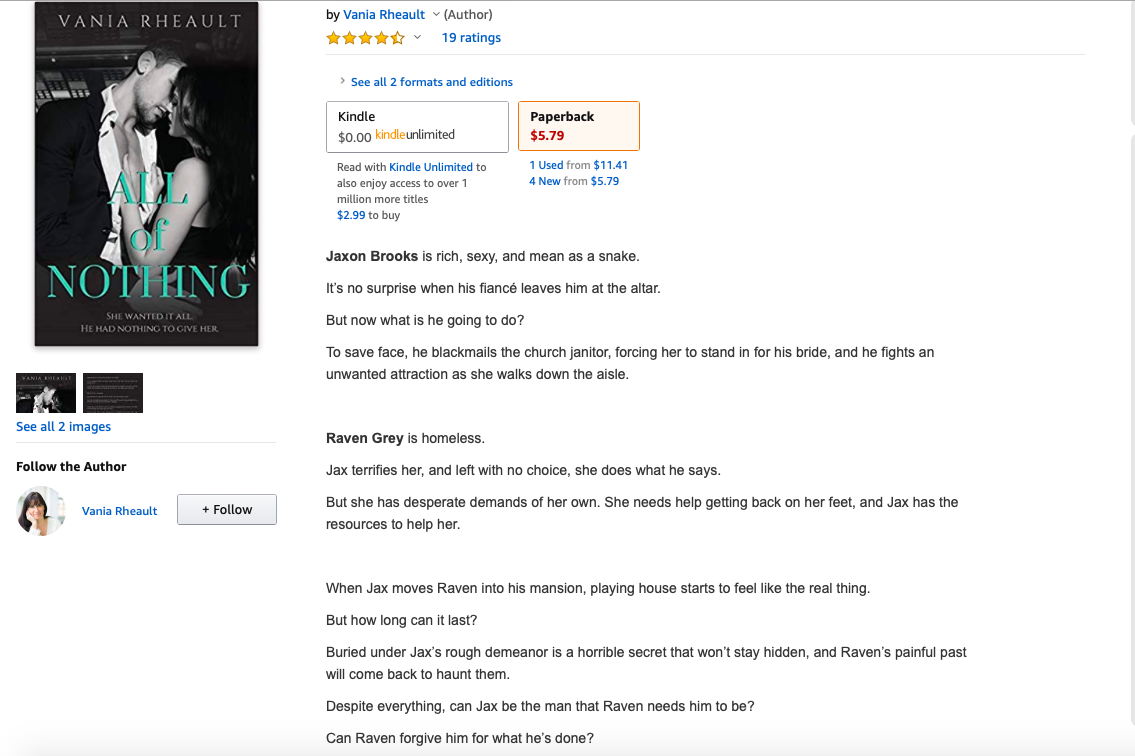
That is going to be it for me this week. I’d like to congratulate Brandie Easterling Collins on publishing her newest book! You can check it out here–available in Kindle, Kindle Unlimited, and Paperback. A new release is always so exciting! Good luck, Brandi, and Congratulations!




 Vania Margene Rheault